
Note Dash: A music note reading game by Notebusters
Build real music reading skills with our free, web-based game for desktop, mobile, or tablet. Designed by music teachers for beginner and intermediate students learning the piano, guitar, bass, violin, and more. Note Dash helps you identify notes on the treble and bass clef quickly wherever you are – no flashcards required!
Join players who have identified more than ONE MILLION music notes with Note Dash.
Try the game now - it's free and works on desktop, mobile, and tablet!
🎮 No login. No download. Just press play below and start learning regardless of your device!
Three ways to practice reading music notes
Classic Mode

Classic is the original Note Dash experience: identify music notes as quickly and accurately as you can before time runs out. Choose your timer and difficulty level, then work through randomized notes across the treble and bass clefs. It’s simple, focused practice designed to build faster recognition without relying on memorized patterns or note order.
Best for: Building speed, accuracy, and overall note-reading fluency.
Keyboard Mode

Keyboard Mode connects the notes you see on the staff with their actual position on a piano keyboard. Instead of just selecting the note name, find and play the corresponding key on the on-screen keyboard. It adds an extra layer to note-reading practice by reinforcing both note recognition and keyboard geography. When you select the correct key, Note Dash plays the note’s pitch to reinforce the connection between what you see and hear.
Best for: Piano students and anyone working to connect written notes with keyboard positions.
Retro Arcade Mode

Retro Arcade turns note-reading practice into an old-school arcade challenge, complete with retro graphics, music, and a more game-like experience. You’ll still need your note-reading skills to succeed, but Arcade gives students another reason to keep practicing when they’re ready for something beyond a traditional timed exercise.
Best for: Making repeat practice more fun and putting your note-reading skills to the test.
How to play the note reading game
Choose your game mode

Choose your game mode: Classic, Keyboard, or Retro Arcade
New to Note Dash? Start with Classic. It’s the easiest way to jump in, learn how Note Dash works, and start building faster note recognition.
Want to lock in the keys on the piano? Try Keyboard. You’ll match notes on the staff directly to their position on the keyboard.
Looking for something more game-like? Head to Retro Arcade. You start with three Arcade credits, then earn coins by playing Classic and Keyboard to keep the fun going.
All game modes have leaderboards – see how your score stacks up against other players and give yourself another target to beat.
Select timer and difficulty level

- Pick your timer duration: 30, 60, or 90 seconds
- Choose your difficulty level: Sound Check (EASY), First Gig (MODERATE), or Rock Star (HARD)
Start identifying music notes!

- Timer: shows remaining time before the game ends
- Current score: (number of correctly guessed notes)
- Mute and exit to main menu buttons:
- Note to identify: The note on the staff to identify
- Note selection keyboard: select/press the correct note!
Why Note Dash by Notebusters is better than flashcards
Music flashcards can be useful, but Note Dash makes repeat practice faster, more interactive, and easier to fit into everyday practice.
- Three ways to practice: Switch between Classic, Keyboard, and Retro Arcade to keep note-reading practice from getting repetitive.
- Immediate feedback: Know right away whether you identified a note correctly and keep moving without someone else checking your answers.
- Randomized notes: Practice recognizing individual notes instead of memorizing the order of a flashcard deck.
- Adjustable challenge: Choose your timer and difficulty level as your note-reading skills improve.
- Connect the staff to the keyboard: Keyboard Mode helps reinforce both the name of a written note and where to find it on a piano.
- Practice almost anywhere: Play free on desktop, mobile, or tablet whenever you have a few minutes – no flashcards to carry, no login, and no download.
- Pair it with Notebusters workbooks: Use Note Dash alongside Notebusters’ timed workbook exercises for even more focused note-reading practice away from the screen.
Lock in the building blocks of playing music with more note reading practice
Try our most popular music note reading workbooks on Amazon 🎼
🎹Beginner Piano Workbook
🎼Complete Edition
📘 Combine offline and online learning for the best results. Note Dash is perfect for on-the-go practice and pairing it with a Notebusters workbook adds structured, offline learning without losing the fun. Notebusters music workbooks help students build a rock-solid foundation by locking in note reading fundamentals early on. Each workbook is 8.5″ x 11″ – the same size as standard sheet music, making practice feel natural and familiar.
Ensure you lock in the fundamentals of note-reading by combining our free app with our music workbooks that are specifically designed for your skill level and instrument: Beginner Piano, Beginner Violin, Beginner Guitar, and Complete Edition.
Using Note Dash at school?
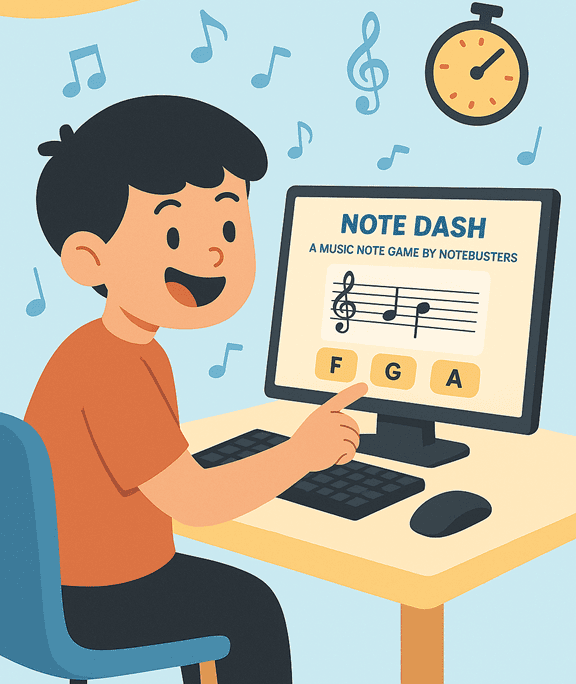
Note Dash is free for individual practice, but shared school networks can quickly reach the game’s usage limits when many students play at once.
Schools, music programs, and districts can request dedicated Note Dash access for classroom use. Dedicated access is designed for multiple students on a shared network and does not require student accounts, names, or email addresses.
Keep challenging yourself with free sheet music 🎵
Explore our growing library of free sheet music designed for both beginner and intermediate musicians. Whether you’re a student, teacher, or parent, these resources are a great way to build real-world note reading skills.
For additional beginner practice, try our free treble clef note-reading worksheets with 5 timed exercises designed to build faster note recognition.
📚 Popular blog posts: